
Tirivelo Admin Dashboard
Tirivelo Admin Dashboard
Tirivelo Admin Dashboard
Designed foundational screens for Tirivelo's internal-facing Admin Dashboard.
Designed foundational screens for
Tirivelo's internal-facing
Admin Dashboard.
Role
Role
Role
Researcher, Product Designer
Researcher, Product Designer
Researcher, Product Designer
Skills
Skills
Skills
User Research, Wireframing, Prototyping
User Research, Wireframing,
Prototyping
User Research, Wireframing, Prototyping
Tools
Tools
Tools
Figma
Figma
Figma
Timeline
Timeline
Timeline
January - February 2026; 8 weeks
January - February 2026;
8 weeks
January - February 2026; 8 weeks
BACKGROUND
BACKGROUND
As one of the most valuable learning experiences in my UX skillset, this client project exposed me to what working within an established team at an organization would be like. I learned about designing within stakeholder expectations while also leveraging the perspectives and feedback of fellow designers to refine ideas and arrive at a memorable final product.
As my first client project and my first experience working with a team of other designers and engineers, this project provided me with lots of valuable real-world experience about what working with an established company is like. I learned about designing within stakeholder expectations while also leveraging the perspectives and feedback of fellow designers to refine ideas and arrive at a memorable final product.
WHAT IS TIRIVELO?
WHAT IS TIRIVELO?
Tirivelo is a petcare service platform that focuses on connecting pet owners with trusted, verified pet
service providers (dog walkers, pet sitters, etc.). While the company already had teams working on a
customer-facing website and app, they lacked an internal system for managing customer information
and operational workflows.
Our team was brought in to design Tirivelo’s first admin dashboard,
creating a centralized tool to help operations staff efficiently manage
customer accounts and support requests.
Tirivelo is a petcare service platform that focuses on connecting pet owners with trusted, verified pet
service providers (dog walkers, pet sitters, etc.). While the company already had teams working on a
customer-facing website and app, they lacked an internal system for managing customer information
and operational workflows.
Our team was brought in to design Tirivelo’s first admin dashboard,
creating a centralized tool to help operations staff efficiently manage
customer accounts and support requests.
OUR PROCESS
OUR PROCESS
To understand what the admin dashboard needed to include, our team
conducted two forms of research to identify key user workflows and
platform feature requirements.
To understand what the admin dashboard needed to include, our team conducted two forms of research to identify key user workflows and
platform feature requirements.
Preliminary Research
Preliminary Research
We familiarized ourselves with Tirivelo’s customer
base to better understand the platform’s users, as
well as examining existing admin dashboards to
identify common patterns, structures, and
functionality.
We familiarized ourselves with Tirivelo’s customer
base to better understand the platform’s users, as
well as examining existing admin dashboards to
identify common patterns, structures, and
functionality.
User Interviews
User Interviews
We interviewed members of the Tirivelo team,
including the CEO, which helped us identify the key
features, workflows, and capabilities they envisioned
for a comprehensive admin dashboard.
We interviewed members of the Tirivelo team, including the CEO, which helped us identify the key features, workflows, and capabilities they envisioned for a comprehensive admin dashboard.
RESEARCH SYNTHESIS
RESEARCH SYNTHESIS
The next step was to consolidate our research to identify actionable items and where these items ranked in priority.
The next step was to consolidate our research to identify actionable items and where these items ranked in priority.
After our preliminary research and interviews, we formatted user insights into the
following prompt:
After our preliminary research and interviews, we formatted user insights into the
following prompt:
How might we combine user management, customer transactions, and case history into a single, intuitive workflow that reduces cognitive load and prevents errors for Tirivelo admin?
How might we combine user management, customer transactions, and case history into a single, intuitive workflow that reduces cognitive load and prevents errors for Tirivelo admin?
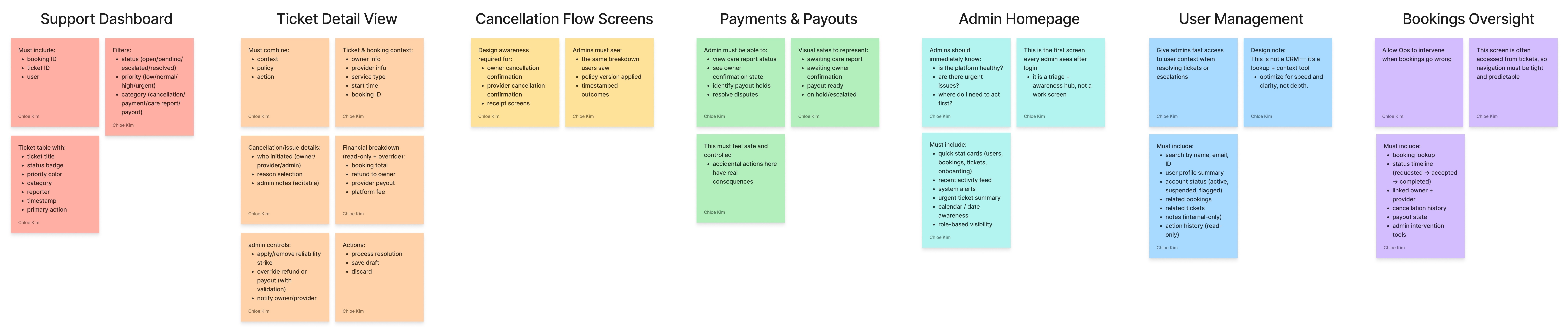
We then compiled a list of required sections for the dashboard, as well as each section's
purpose and features…
We then compiled a list of required sections for the dashboard, as well as each section's
purpose and features…
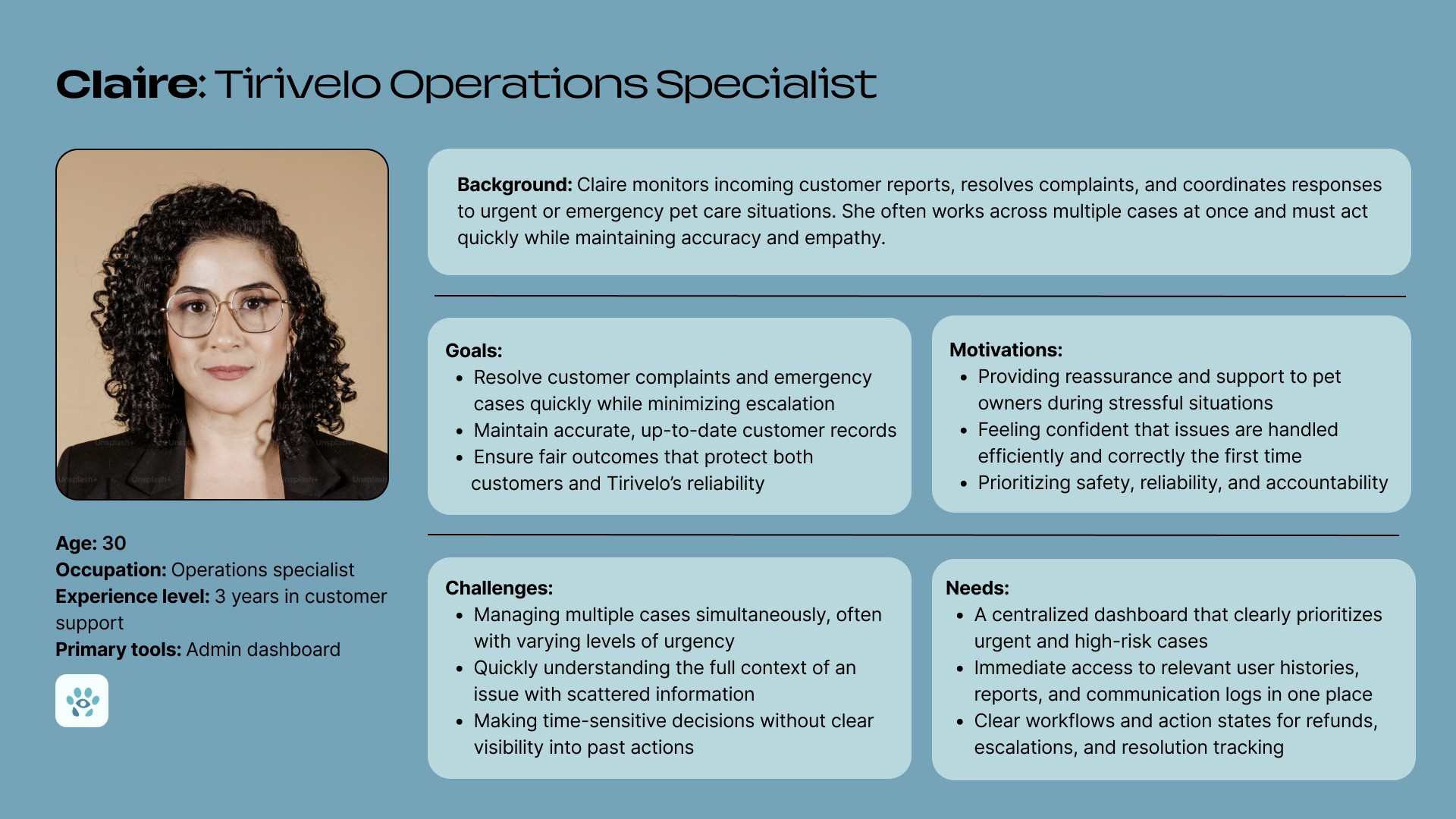
And then created a main user persona to guide us through our ideation process. This user persona would keep us on track in designing for Admin needs and goals.
And then created a main user persona to guide us through our ideation process. This user persona would keep us on track in designing for Admin needs and goals.
IDEATION
IDEATION
With our research collected and synthesized, we began laying down the foundation of our wireframes and user flows.
With our research collected and synthesized, we began laying down the foundation of our wireframes and user flows.
We started with low to mid-fidelity wireframes that communicated what the main pages of the dashboard would look like, including the homepage, ticket list, ticket details, and inbox.
We started with low to mid-fidelity wireframes that communicated what the main pages of the dashboard would look like, including the homepage, ticket list, ticket details, and inbox.
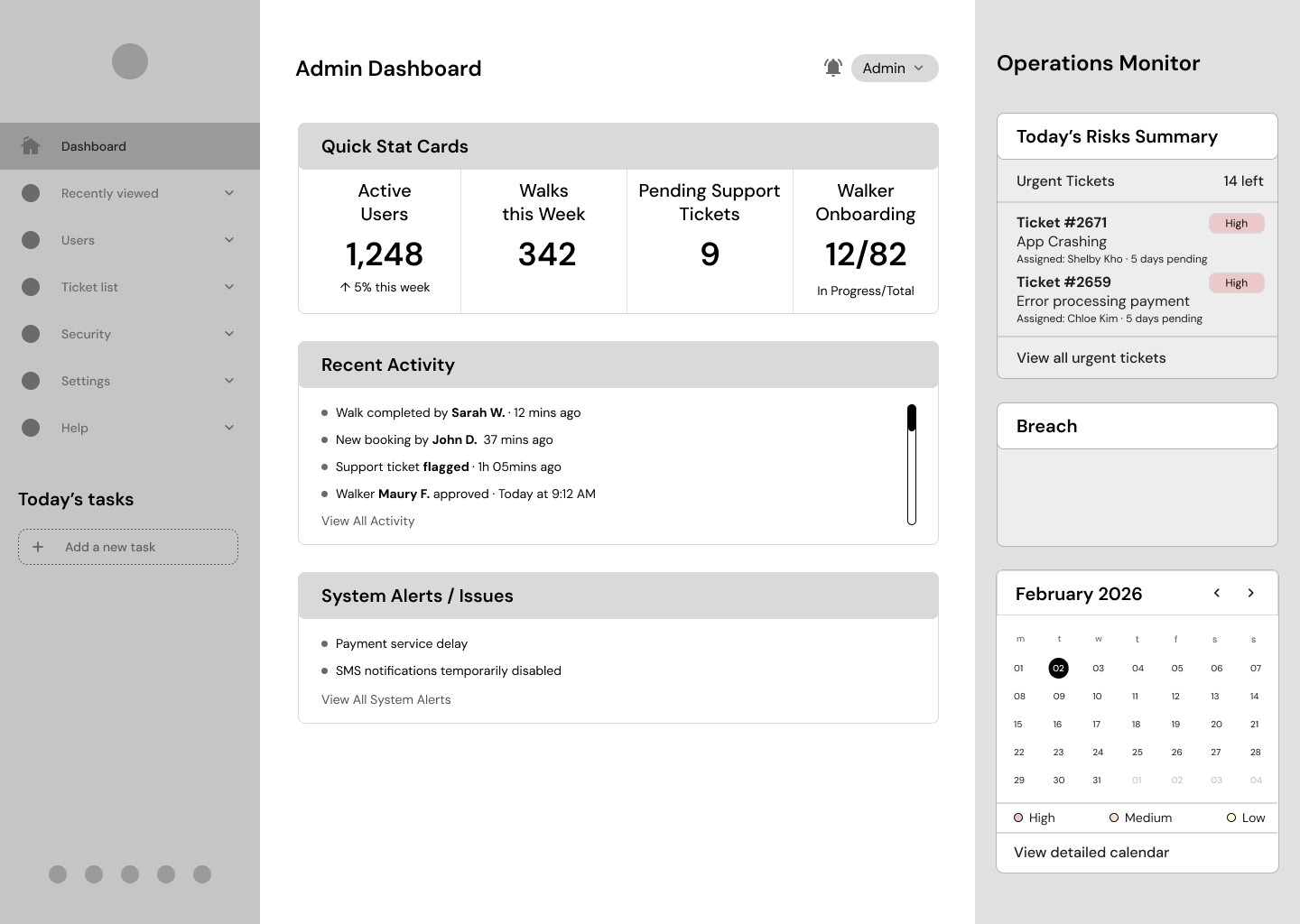
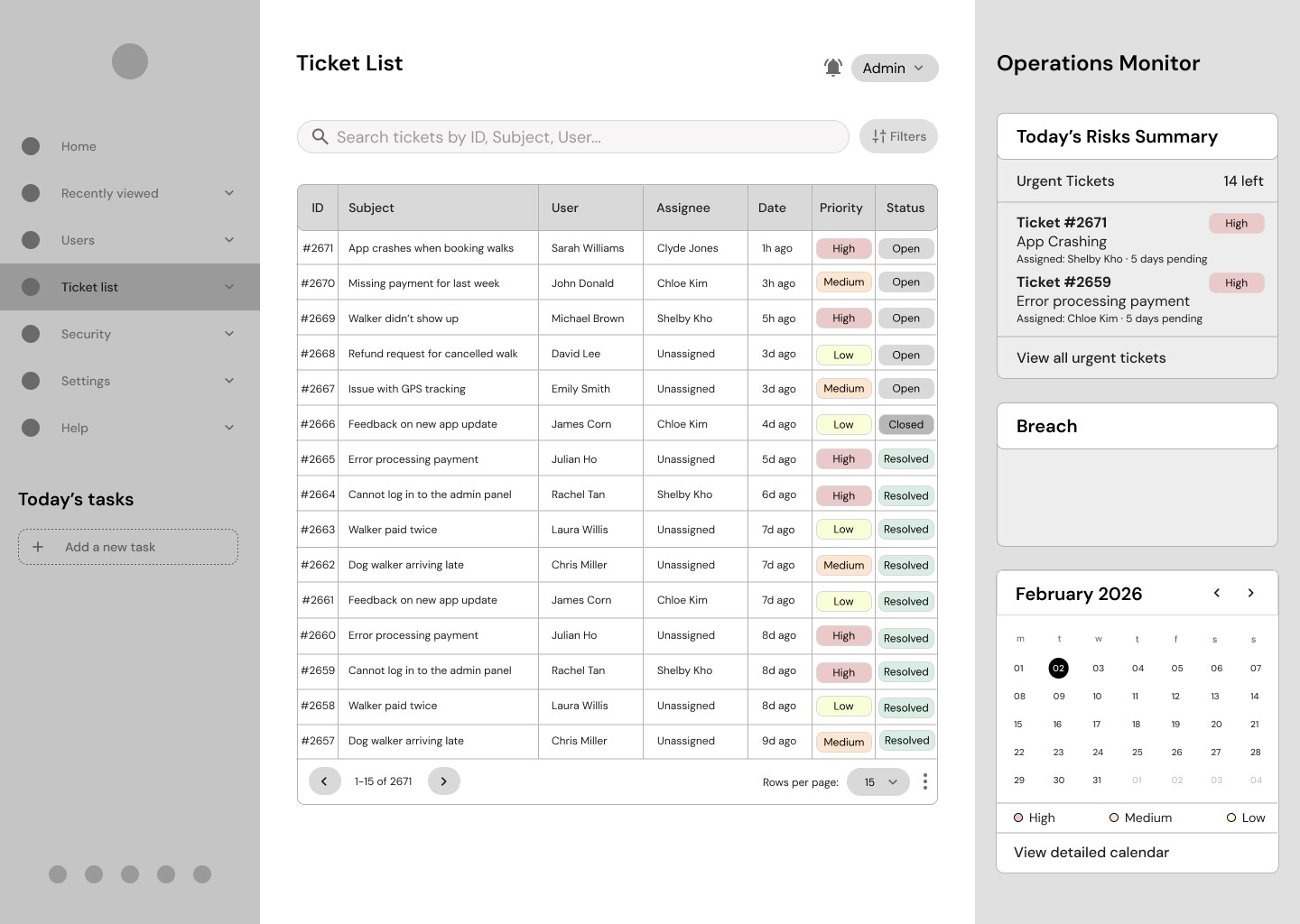
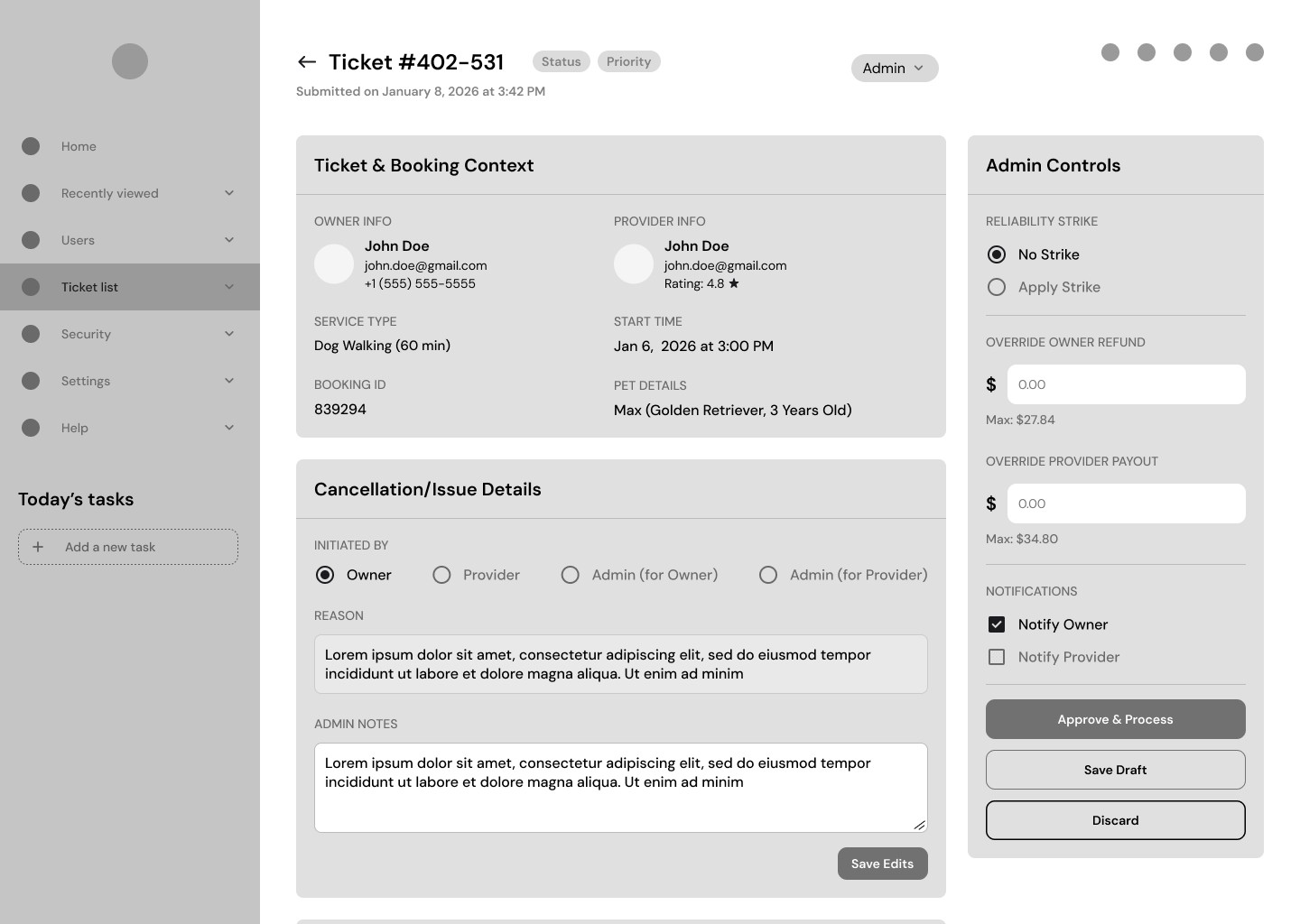
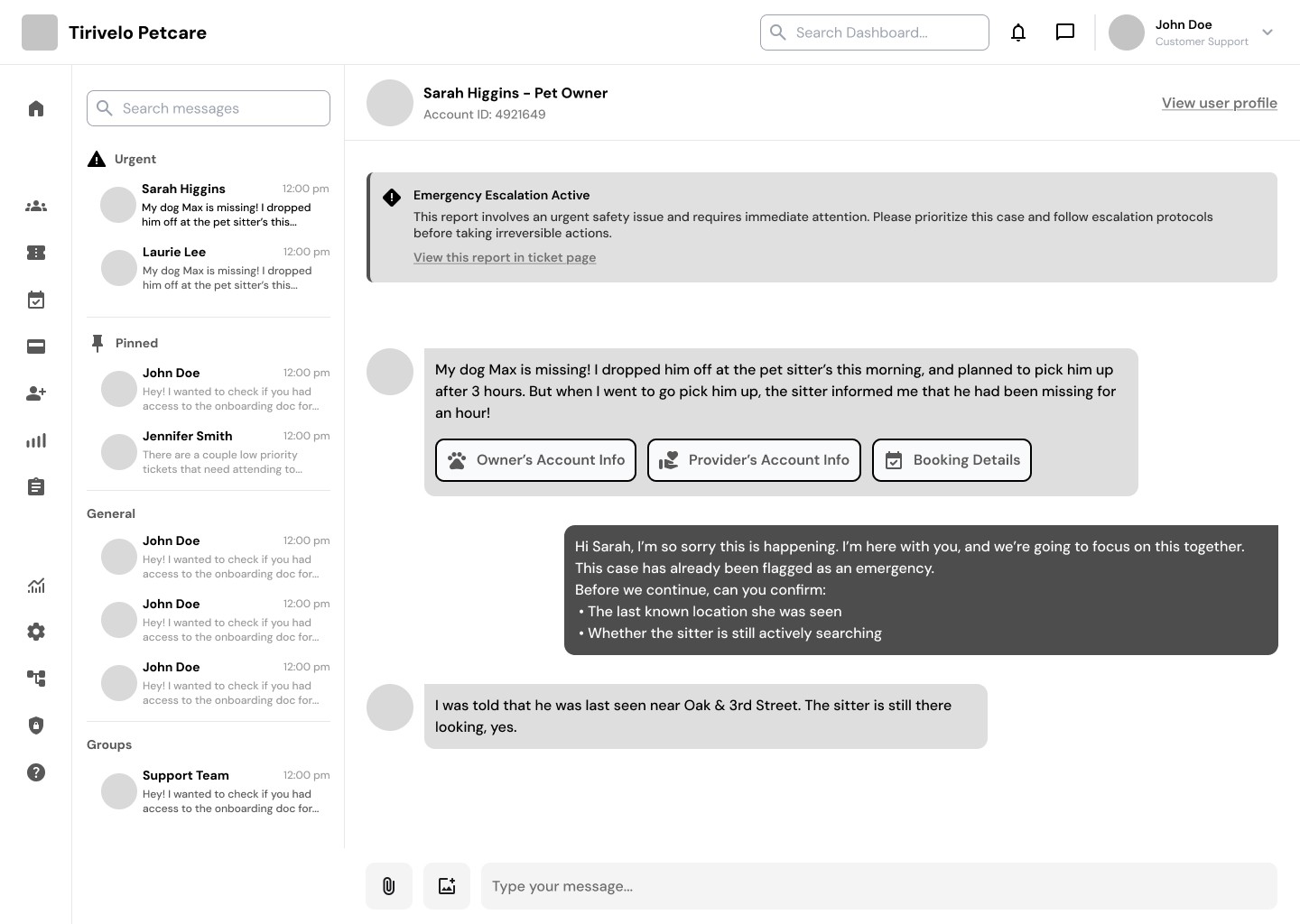
Although our final designs ultimately diverged in several ways from our low to mid-fidelity wireframes, these early iterations played a crucial role in shaping the dashboard’s underlying structure. Because Tirivelo had not yet established a clear vision for what their admin dashboard should look like or even what functionality it should include, the wireframes served as a way to align with the team on how the system might operate.
Although our final designs ultimately diverged in several ways from our low to mid-fidelity wireframes, these early iterations played a crucial role in shaping the dashboard’s underlying structure. Because Tirivelo had not yet established a clear vision for what their admin dashboard should look like or even what functionality it should include, the wireframes served as a way to align with the team on how the system might operate.
THE SOLUTION
THE SOLUTION
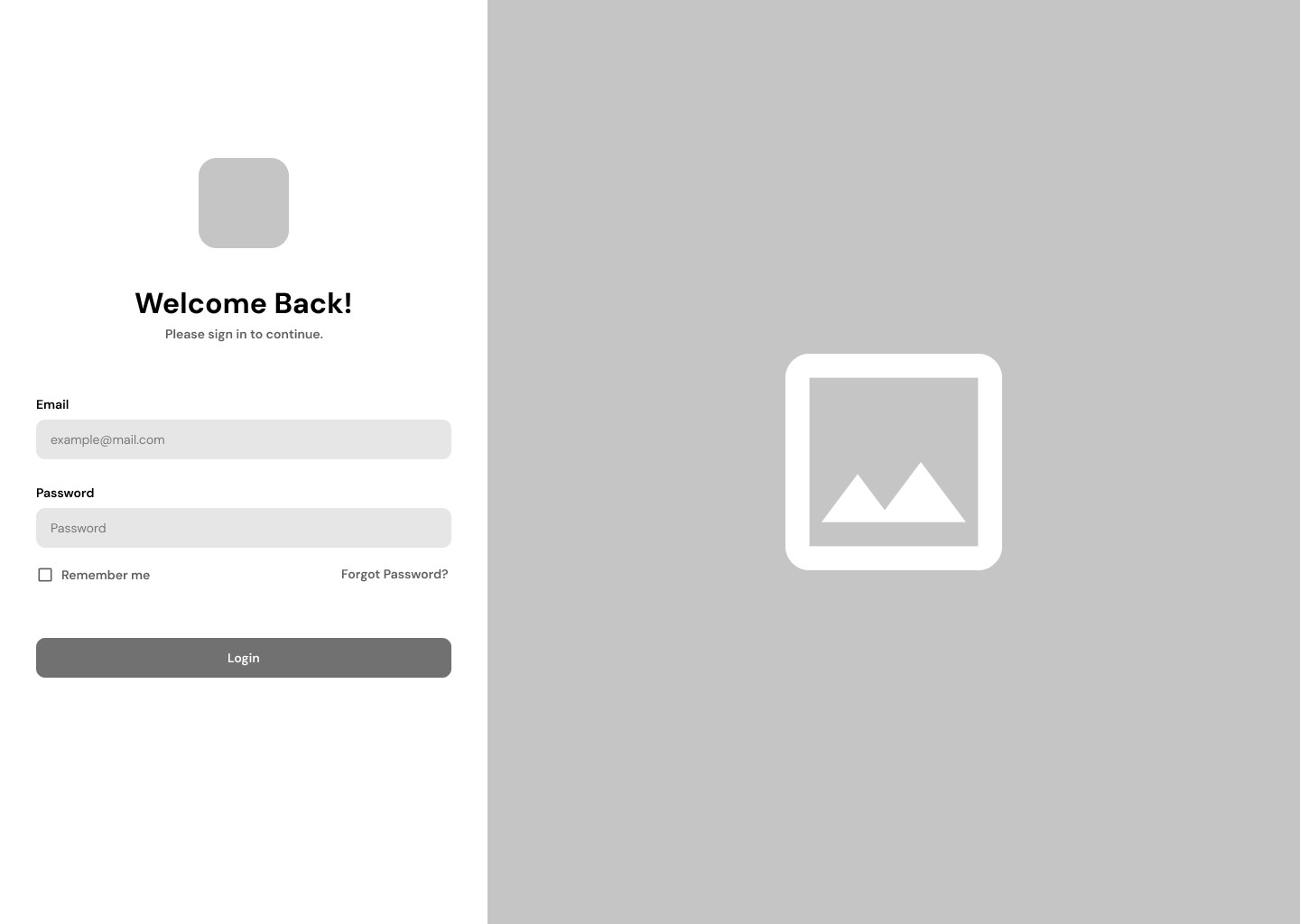
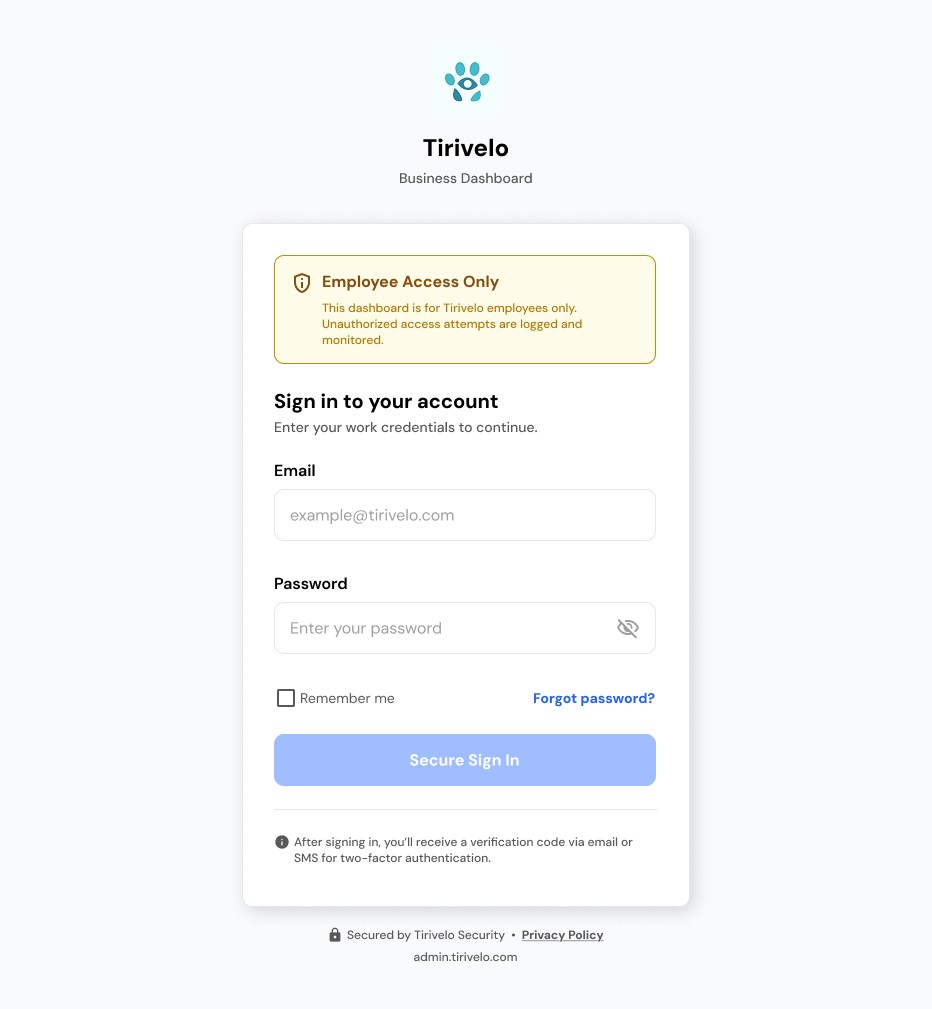
Sign up and log in securely.
Sign up and log in securely.
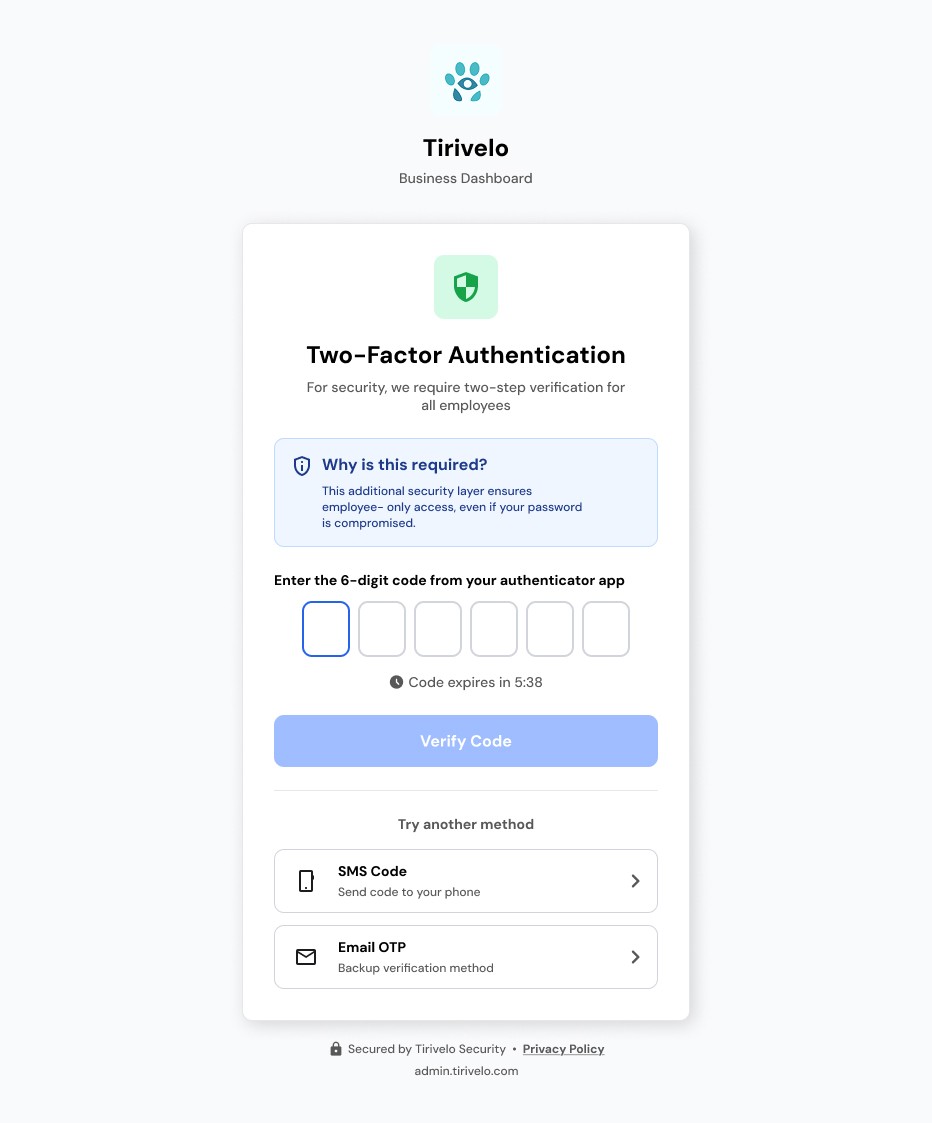
The need for a secure sign in flow was emphasized in order to ensure that only verified and authorized users can access the dashboard. We implemented two-factor authentication to address this need.
The need for a secure sign in flow was emphasized in order to ensure that only verified and authorized users can access the dashboard. We implemented two-factor authentication to address this need.
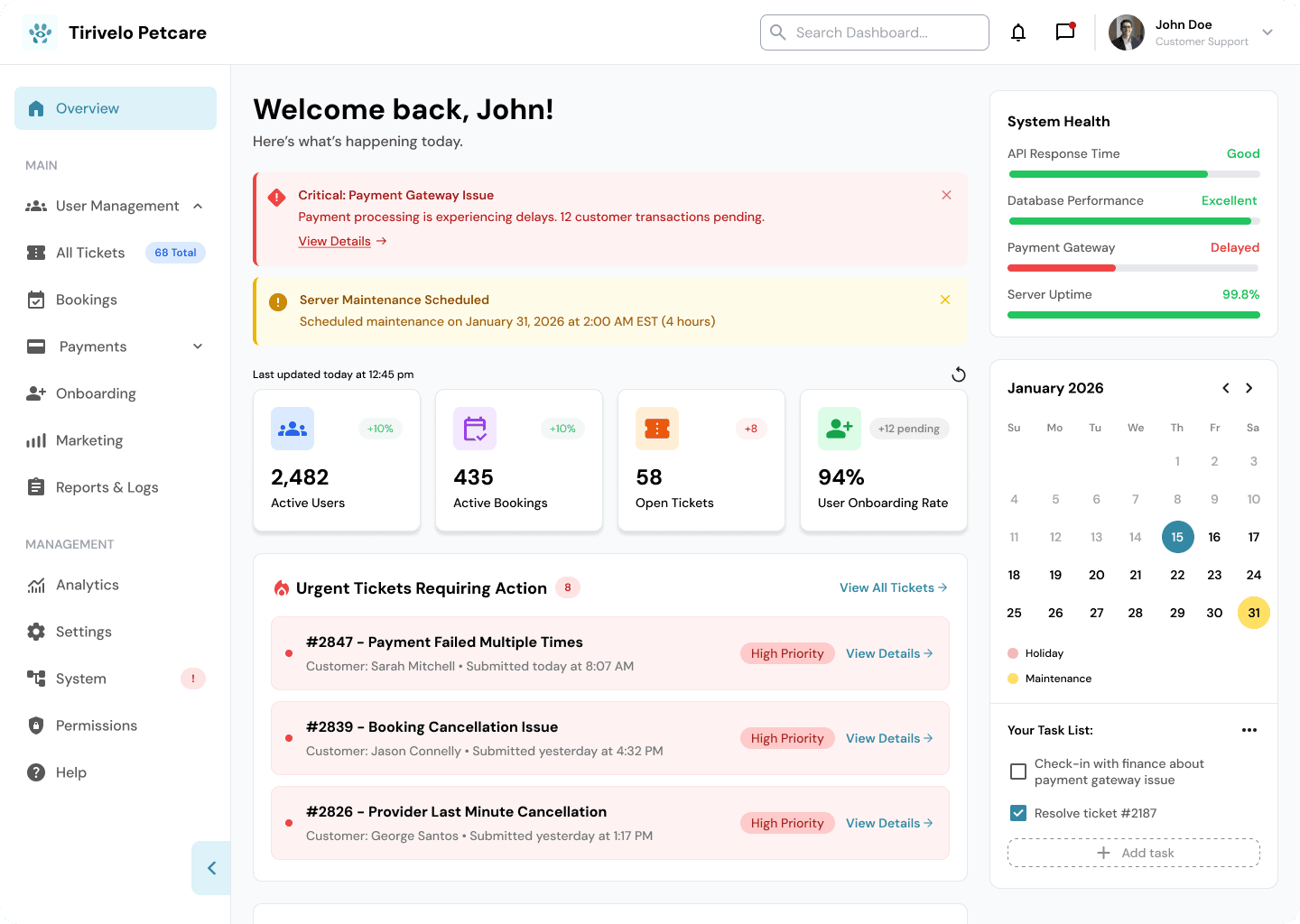
The homepage at a glance: monitor health, user activity, and urgent issues.
The homepage at a glance: monitor health, user activity, and urgent issues.
The Tirivelo homepage gives admins an immediate overview of the platform’s health so they can quickly understand what’s happening and where attention is needed.
The Tirivelo homepage gives admins an immediate overview of the platform’s health so they can quickly understand what’s happening and where attention is needed.
Quick stat cards highlight key metrics like users, bookings, tickets, and onboarding progress, while a recent activity feed surfaces the latest platform events in real time. System alerts and an urgent ticket summary help admins identify and respond to critical issues quickly, while calendar awareness provides helpful context for daily operations. Role-based visibility ensures that each admin sees the information most relevant to their responsibilities.
Quick stat cards highlight key metrics like users, bookings, tickets, and onboarding progress, while a recent activity feed surfaces the latest platform events in real time. System alerts and an urgent ticket summary help admins identify and respond to critical issues quickly, while calendar awareness provides helpful context for daily operations. Role-based visibility ensures that each admin sees the information most relevant to their responsibilities.
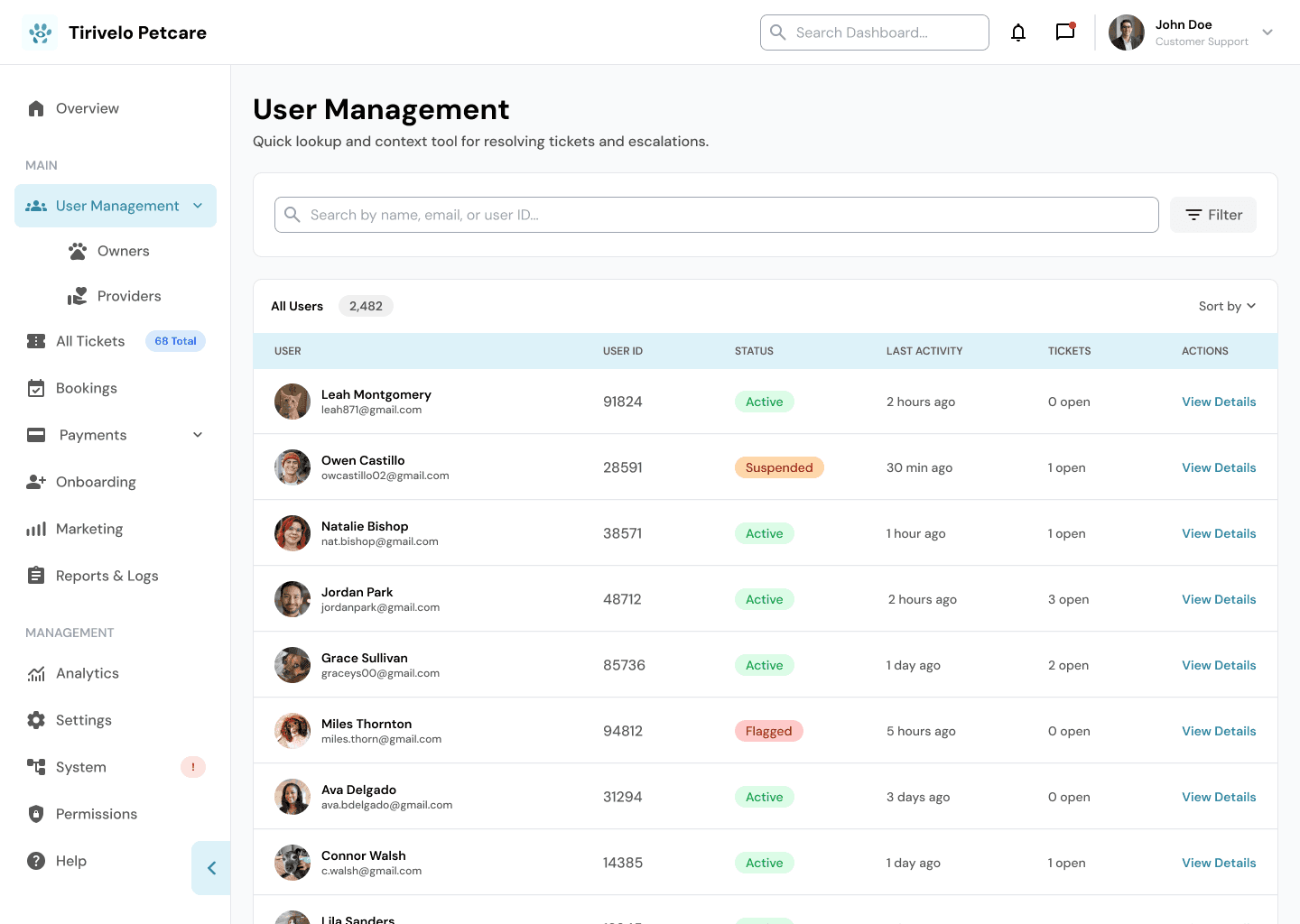
Quickly access user profiles and key account details.
Quickly access user profiles and key account details.
The User Management page gives admins fast, centralized access to the information they need when resolving tickets or handling escalations.
The User Management page gives admins fast, centralized access to the information they need when resolving tickets or handling escalations.
Admins can quickly search for users by name, email, or ID and view a concise profile summary that includes account status, related bookings, and associated support tickets. Internal notes and a read-only action history provide additional context, helping teams understand past interactions and decisions. By bringing key user details into one place, the page enables admins to investigate issues efficiently and respond with confidence.
Admins can quickly search for users by name, email, or ID and view a concise profile summary that includes account status, related bookings, and associated support tickets. Internal notes and a read-only action history provide additional context, helping teams understand past interactions and decisions. By bringing key user details into one place, the page enables admins to investigate issues efficiently and respond with confidence.
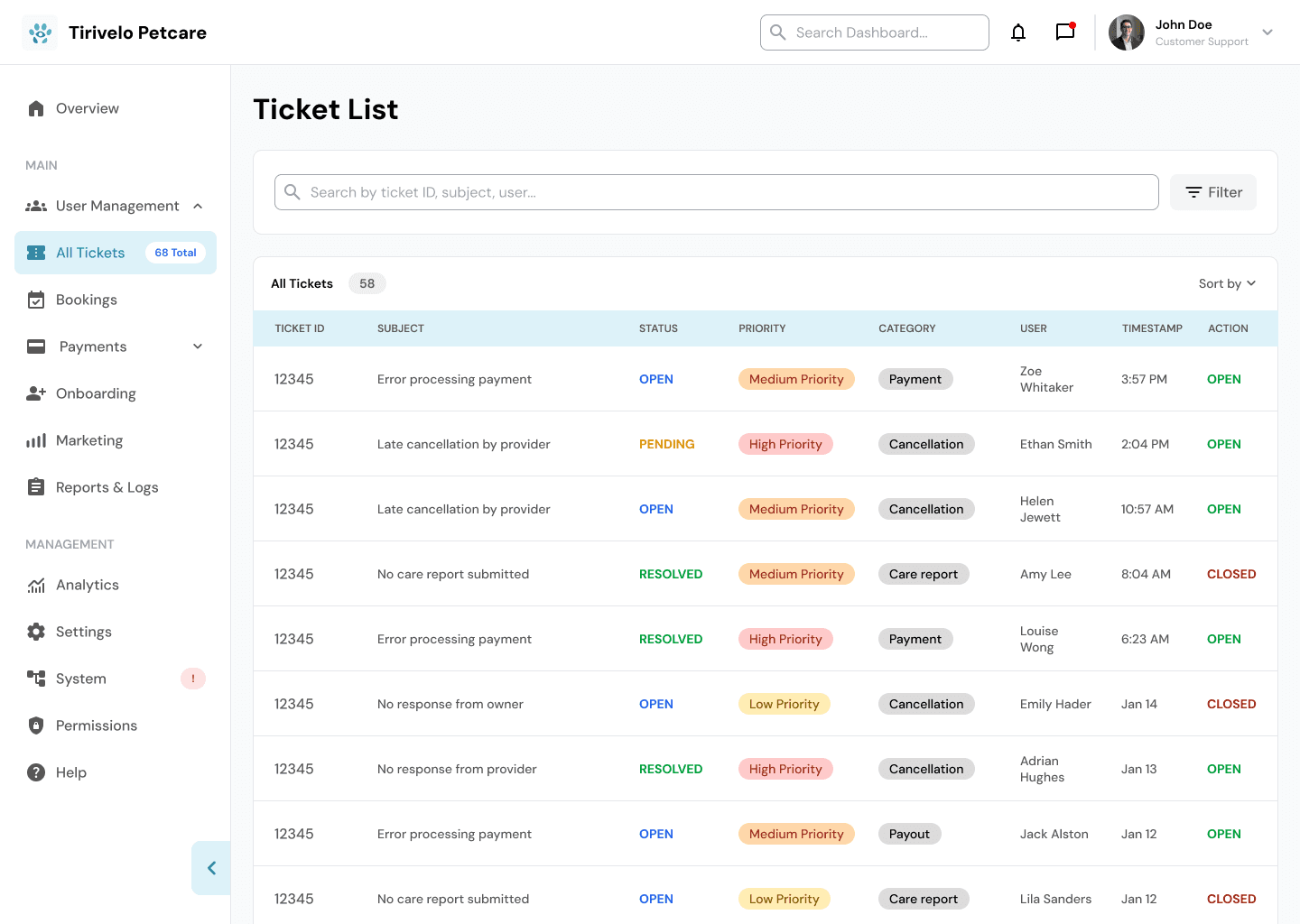
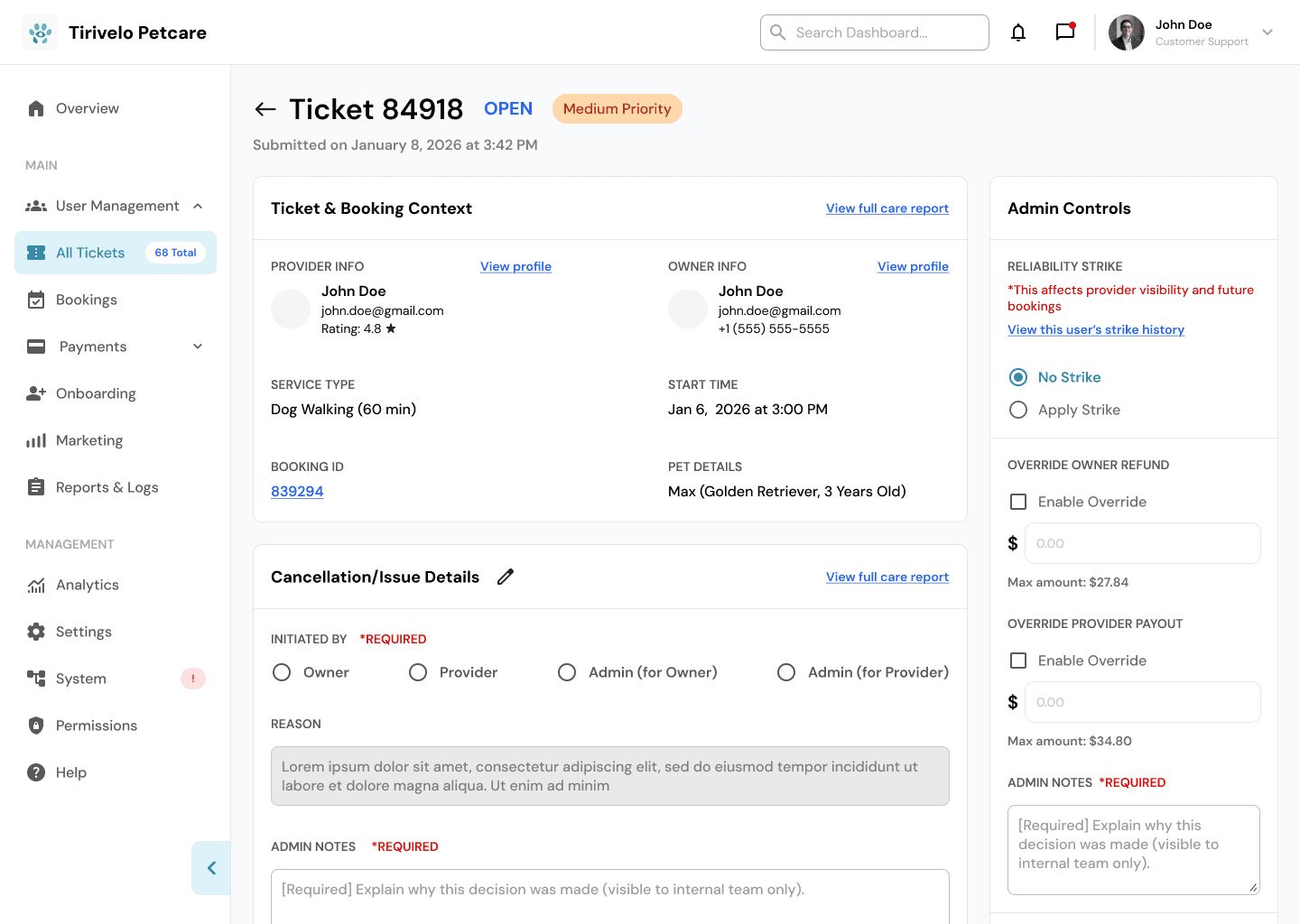
Review tickets and take action with full context.
Review tickets and take action with full context.
The Ticket List and Ticket Details pages bring together the information and controls admins need to efficiently resolve support issues.
The Ticket List and Ticket Details pages bring together the information and controls admins need to efficiently resolve support issues.
The ticket list provides a structured table view of all tickets, displaying key details such as owner information, provider information, service type, start time, and booking ID, making it easy to sort and locate relevant cases. Within each ticket’s detail page, admins can review the full context and take appropriate action, such as applying or removing reliability strikes, overriding refunds or payouts with built-in validation, and notifying the owner or provider when changes are made. By combining context, policy guidance, and action in one place, the flow helps admins resolve issues quickly and consistently.
The ticket list provides a structured table view of all tickets, displaying key details such as owner information, provider information, service type, start time, and booking ID, making it easy to sort and locate relevant cases. Within each ticket’s detail page, admins can review the full context and take appropriate action, such as applying or removing reliability strikes, overriding refunds or payouts with built-in validation, and notifying the owner or provider when changes are made. By combining context, policy guidance, and action in one place, the flow helps admins resolve issues quickly and consistently.
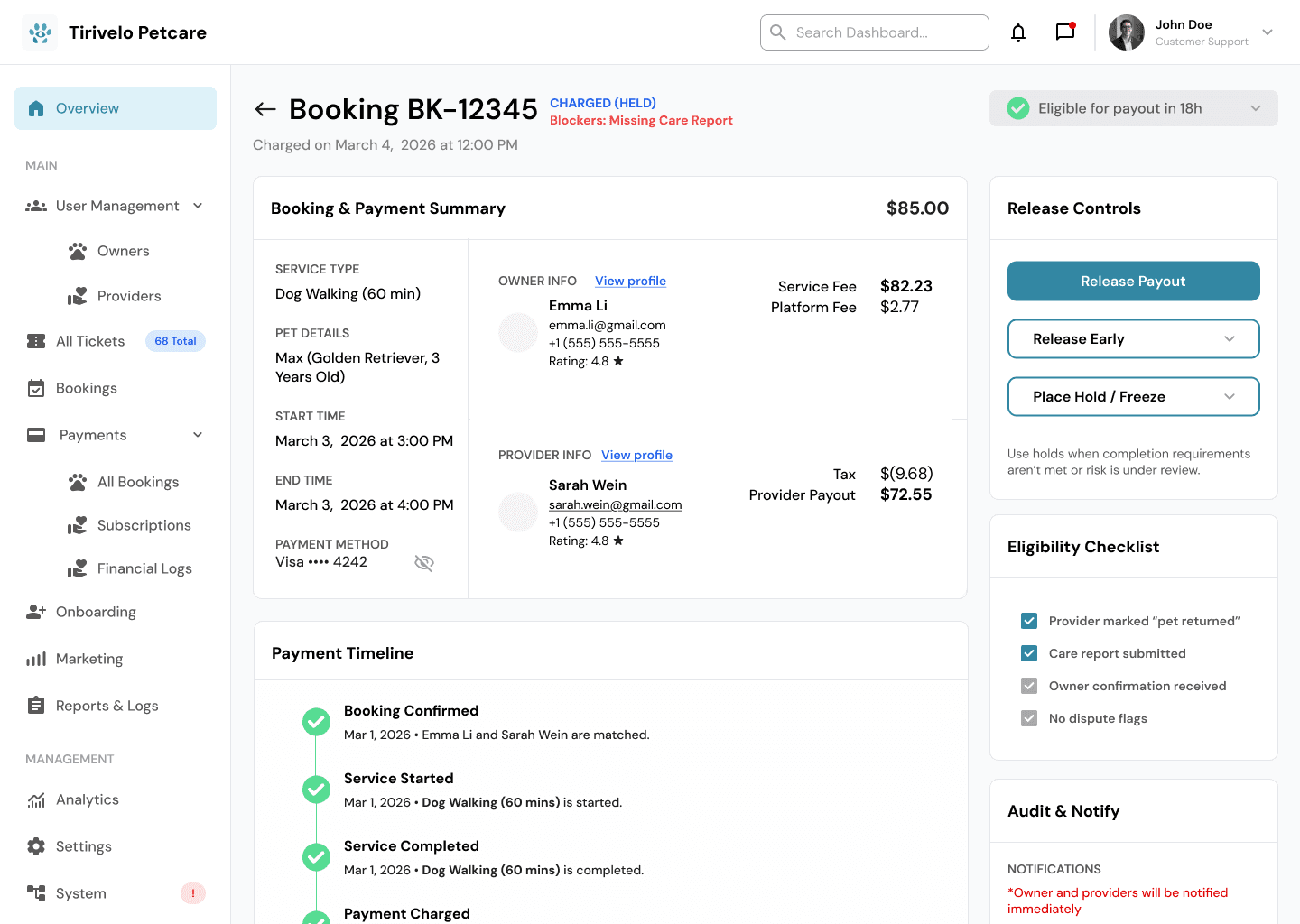
Step in quickly when payments or payouts need attention.
Step in quickly when payments or payouts need attention.
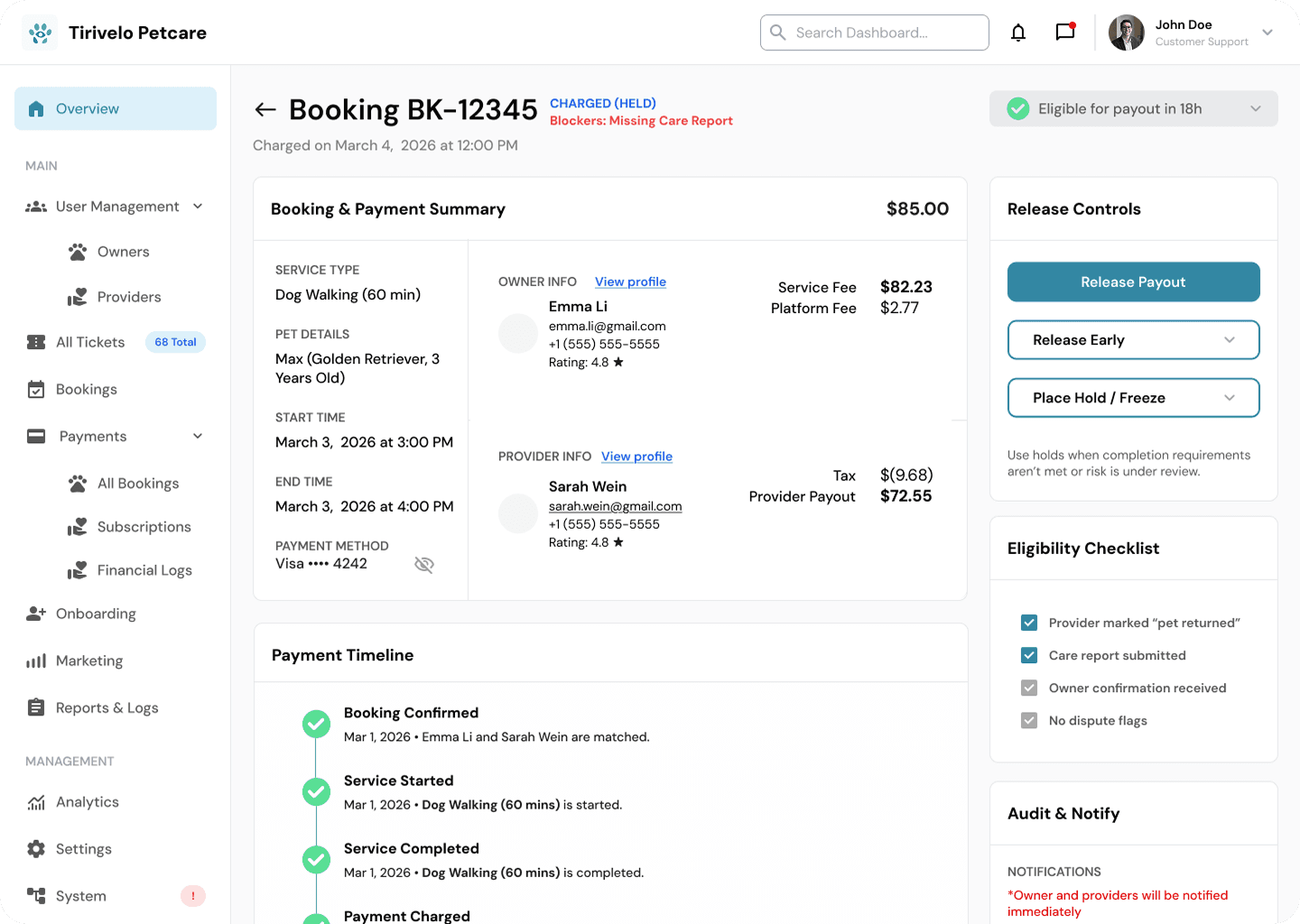
The Booking Payment Details page gives admins the tools to investigate and resolve issues when payments or payouts don’t go as expected.
The Booking Payment Details page gives admins the tools to investigate and resolve issues when payments or payouts don’t go as expected.
Accessible directly from the ticket list, the screen was designed with tight, intuitive navigation so admins can quickly move from a support case to the relevant financial details. Here, admins can review payment information, understand the context behind a transaction, and take appropriate action when intervention is required—helping ensure issues are resolved efficiently and transparently.
Accessible directly from the ticket list, the screen was designed with tight, intuitive navigation so admins can quickly move from a support case to the relevant financial details. Here, admins can review payment information, understand the context behind a transaction, and take appropriate action when intervention is required—helping ensure issues are resolved efficiently and transparently.
LEARNINGS
LEARNINGS
As this client project came to a close, I felt a great sense of accomplishment for our finished product, as well as immense gratitude for the team I worked with. Through this experience I was able to gain a better understanding of working within a team as well as what it meant to manage feature development from concept to implementation. This project taught me that design processes are rarely linear and that UX design can begin at any stage of the double diamond process.
As this client project came to a close, I felt a great sense of accomplishment for our finished product, as well as immense gratitude for the team I worked with. Through this experience I was able to gain a better understanding of working within a team as well as what it meant to manage feature development from concept to implementation. This project taught me that design processes are rarely linear and that UX design can begin at any stage of the double diamond process.